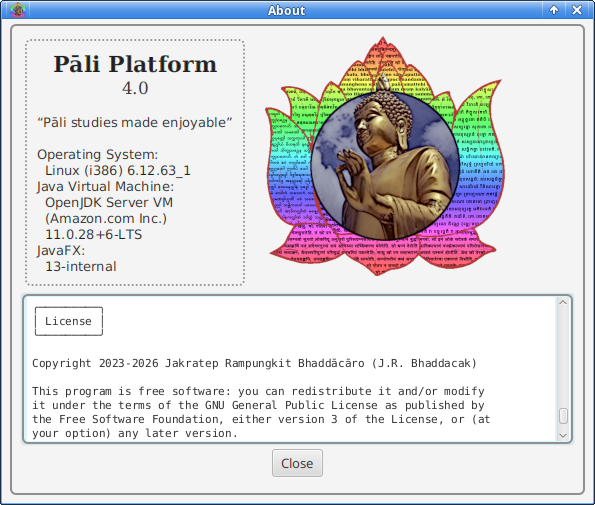
Here comes the most comprehensive tool for Pāli studies. This major release focuses more on usability. There are many enhancements in features and optional settings. The program is now directed to support Sanskrit learning as well.
Links
Normally, the program will be released in two forms: (1) for all platforms without JRE, and (2) the same as the former but including JRE for 64-bit Windows. The latter is marked by winready.
Executable
Source code
User’s manual
Tutorials
- Presentations for a quick learning and workshops can be found in the release’s assets
- Some tutorial videos can be found at YouTube
- Difficult points worthy for tutorials should be suggested to the author
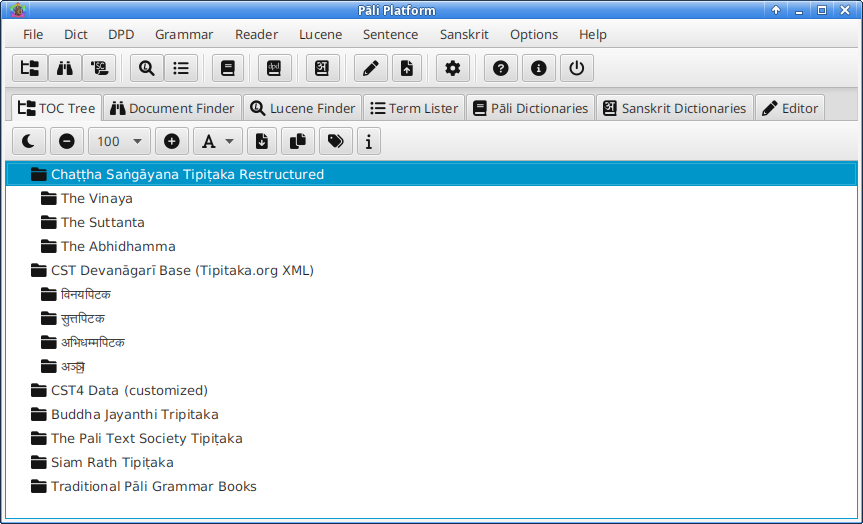
Installation guide
The program is fully portable, no installation required. On 64-bit Windows (7+), you can download the winready package, which is ready to run on that machine. For other platforms, please consult README.txt in the bundle. I will not reproduce here.
Now that Pāli Platform: The Official Manual is available in the recent package, the full information about the program should be read from the manual.
Features developed from 3.2 to 4.1
Started from version 3.2, the program has been enhanced in several aspects. Here are notable some.
- Grammatical books edited and added. After I have translated Kaccāyana’s suttas, the text has also been edited substantially, as well as some related texts have been added to the collection.
- Margaret Cone’s dictionary support. This can be really helpful for students, but the data is not bundled to the program (due to the copyright concern). The user has to download this separately.
- Integration of CST Devanāgarī base XMLs. This corpus is the fountainhead of all digital version of the CST data. The program helps you access to the source easily, but knowledge of Devanāgarī is now required.
- New transliterating engine. Now the program can handle transliteration properly, including Myanmar (but still not perfect). All scripts can be converted back and forth. And we have several options for Roman transliterations, including Sanskrit support.
- Several enhancements of settings. There are several default settings added to the program. This can make the program more user-friendly.
CpUtil added. This command-line tool can help power users access and manipulate the text corpora easier. This tool complements ScUtil developed earlier (see below).- Essential Sanskrit dictionaries added. This is a solid helper for all serious learners of Pāli and Sanskrit.
- Support of GRETIL Sanskrit documents. Now the Sanskrit GRETIL corpus is seen as a collection by the program. This means you can list, view, and search the documents like you do in all Pāli collections.
- Essential Sanskrit Tools. This toolset is fully available from v4.1.0 onward, including Sandhi Rules, Sandhi Combiner and Analyzer, Nominal Paradigms and Declension Table, Verbal Paradigms and Conjugation Table, and Whitney’s Roots.
The following part is taken from the page of the former Pāli Platform 3. Some sections are also updated.
Notes on CST better corrected version
After I knew that the corpus of CST4 is now has an active correction system at Tipitaka.org XML, I have utilized this corpus in the program. Apart from the corrections already applied by the maintaining team, I have also worked on my own on some undetected points. The report of my correction can be found at Tipiṭaka Correction Report.
At this occasion, I have also applied the corrections to the CSTR and Gram collection, as shown in the report. That is to say, now the CST data used by the program are possibly the most updated.
Notes on CST4 nti-fixed version
As you may know, the original CST data in digital form are in Devanagari. The way words composed in Devanagari makes inevitably the ’nti rendition (Antonio Costanzo told me this, not exactly but close). That is unsatisfactory for Pāli learners because some information is lost.
Consider saṅgīti’nti, for example. When we cut this into two words (this always happens in the process of tokenizing or indexing), we get saṅgīti and nti. When out of its context, the accusative marker of saṅgīti is lost.
It is better if the rendition of this becomes saṅgītin’ti. Then we get saṅgītin and ti. By this way, the ending n unambiguously marks the word as accusative.
That is the main reason I fixed nti in CSTR collection. In this release of PP3, I also offer the fixed-version of CST4 data. But the user must download the file separately, rename it and replace the old one in data/text/cst4.
It suffices to say that n’ti is better than ’nti. You can also see this in non-Devanagari-based text collections, such as, SuttaCentral.
Notes on BJT collection
The BJT of tipitaka.lk recently bundled with the program is under CC-BY-ND license. I can do only convert the text into Roman script. Even many errors were found, I left them unedited.
Manual installation of patches
This is not recommended but sometimes you may find it necessary. When patches are available in the program’s releases, you may download the files to your computer. You have two options hereafter:
- First,
Update online info and place the patch files in directory cache/ (if it does not exist, create one in the program’s root). Then open Patch Installer and install the patches with the Skip download option checked. If the installer cannot recognize the patches (check the info button), you cannot install them in this way.
- If the previous method fails, you have to unpack the file manually by using your known utility (WinRAR, File Roller or the like) to unpack the file into the program’s root directory, replacing the old files if asked.
IMPORTANT: After the manual installation, you have to restart the program using either PPLauncher.exe, PPLauncher.rar, launch.cmd, or launch.sh, NOT run.cmd or run.sh.
Since the patch installation is destructive, it can unexpectedly break the program. So, it is better to keep the original program’s zip file at hand to use as an emergency recovery.
Manual installation of data
Even though the program has download helpers for data such as DPD, SuttaCentral, Sanskrit dictionaries and documents, in some situations you may need to install them manually.
DPD
When a new release of DPD is launched, I need some time to test that its structure is not changed to the extent that it may break the program’s functionality. But, sometimes I have no access to the Internet for weeks or even months. The update for the link therefore can be late. (In PP4, we have an option to download the latest version of DPD at your own risk.)
To solve the problem ad hoc, you need to know how to put the file properly, but at the risk of breaking the system (rarely, I suppose).
- Download
dpd-mobile-db.zip from the DPD Releases to your computer.
- You have two options hereafter:
- Unpack it yourself with your known utility and place or replace
dpd-mobile.db in directory data/db/.
- To use the program’s unpacker, you have to place
dpd-mobile-db.zip in directory cache/ (if not exist, create one at the program’s root). Then use the DPD downloader to install the file with the Skip download option checked. Then wait for some minutes.
Recently, I added a script wrapper of DpdUtil to ease the test. This can check the applicability of the database by a command line. After the database is unpacked or installed to the program, enter this command:
(Linux/macOS)
$ ./dpdutil.sh -t

(Windows)
> dpdutil -t
SuttaCentral
In the case of SuttaCentral data, it will be easier because the link is unlikely to change and we use the whole zip file.
- Download the whole published source of SuttaCentral Bilara data from
github.com/suttacentral/bilara-data. The obtained file is named bilara-data-published.zip.
- Place or replace the file in
data/text/sc/. If directory sc does not exist, create a new one.
The structure of SC data is quite stable. So, the new file is unlikely to break the program. If it is the case, however, please report this to me.
Sanskrit dictionaries
Installing Sanskrit dictionaries manually is awkward for normal users. For power users, I will guide you briefly as follows:
- Study
pp4XXurls.properties at the program’s root after the first run with the Internet access. You can see the required URLs there for the eight dictionaries, i.e., mw_url, ap_url, shs_url, md_url, bhs_url, mwe_url, ae_url, bor_url. Download all these and place the files in cache/.
- Open the Sanskrit Dict Downloader, check the Skip download option and press Start.
- Another way to do is unpacking the zip files to get the dict
.txt file, and place all txt files (8 totally) into data/dict/. Then use the program’s menu Create Skt. Dict data.
Sanskrit documents
Installing GRETIL Sanskrit documents by hand is easy. Just download the Sanskrit zip file, 1_sanskr.zip. Then place the file in data/text/skt/ (do not unzip it). If the folder does not exist yet, create a new one.
ScUtil (SuttaCentral Utilities)
When I made the reader for SuttaCentral corpus, I made myself a tool to deal with its data. This is called ScUtil. It is quite useful for programming-inclined persons. So, I made it easy to access. The program can list files, show text, and many more.
To use ScUtil, you have to make the program ready to run first (JavaFX is required but not used), and you have to use it at the program’s root directory. Open a terminal there, then use its wrapper script this way:
(Linux/macOS)
$ ./scutil.sh

(Windows)
> scutil
The program has only CLI mode and some help. Please read the help carefully. Here is an example to show MN1 in the terminal:
(Linux/macOS)
$ ./scutil.sh show -t mn1

(Windows)
> scutil show -t mn1
CpUtil (Corpus Utilities)
Working in the same way as ScUtil, this tool is for all corpora, but some functions can be overlapping. Some new functions are applicable to SuttaCentral as well. To see the tool’s help, try the following at the terminal:
(Linux/macOS)
$ ./cputil.sh

(Windows)
> cputil
The easiest command is to list and check availibility of existing corpora:
(Linux/macOS)
$ ./cputil.sh list

(Windows)
> cputil list